
Release notes (home users)
News and updates regarding the Qvantum App and heat pump software for the installer parts. For full information on older news, fixes and added features, see the version history in the App Store or Google Play.
For basic App functionality, see the page ”This is how the Qvantum App works”.
In each release, a lot of work is done on general improvements, corrections and bug fixes. In addition to these, we also add new functionality, which is listed below.
Qvantum App version 1.24 (2026-08-27)
- Silent mode (limits the compressor max speed to reduce noise and vibrations) for QE added for manual or scheduled activation.
Manually in Heat pump settings ⏵ Advanced settings ⏵ Sensor Control or via the Scheduler. - New Heat Pump setting: Sensor Control for configuring Temperature/CO2/RH sensors
Heat pump settings ⏵ Advanced settings ⏵ Sensor Control. - New heat pump setting: Access Control to manage access to display features – enable, disable and/or limit Ui-features on the heat pump display.
Heat pump settings ⏵ Advanced settings ⏵ Access Control. - Added support for Produal (Modbus) CO2 sensor.
Heat pump settings ⏵ Additional devices ⏵ Add devices.
Plus general improvements, UI-fixes, corrections and bug fixes.
Qvantum Display version 1.9 (2026-08-10)
- Czech, Danish and Finnish are now available as supported display languages.
- Support added for configuring additional ventilation so that it is activated based on relative humidity and/or carbon dioxide readings from QT.
- Added support to configure QE air duct humidity sensor to trigger extra ventilation.
- Added support to configure extra ventilation to trigger on CO2 measurements from Produal sensor.
- Support for multiple thermostats has been added.
- You can now turn off Wi-Fi or cloud services from the settings on the display.
- A language menu is added to the QT setup.
- New temperature control menu on the QT.
- CO2 measurement (PPM) has been added to the indoor screen on QT:s equipped with a CO₂ sensor.
- QT gets a unique name if name is not set and it connects to a heat pump that already had a QT connected.
Plus general improvements, UI-fixes, corrections and bug fixes.
Qvantum App version 1.23 (2026-06-01)
- Added support for Danish and Czech languages as well as additional language options for QV devices
- Support for additional QG-7 / QG-14 devices
Plus general improvements, UI-fixes, corrections and bug fixes.
Qvantum App version 1.22 (2026-05-19)
- New setting for Plugwise Flame status behaviour.
- Updated with new system overview images for QG7/QG14
- Energy statistics are now available on all markets
- Improvements on accessibility
Plus general improvements, UI-fixes, corrections and bug fixes.
Qvantum Display version 1.8 (2026-05-07)
- QT automatic setup: Possibility to search and pair the QT to a heat pump without the app.
- QT always shows its own measured temperature.
- QT humidity readings can now be used to control ventilation.
- QE air humidity can be used to start extra ventilation.
- The indoor temperature slider changes color based on mode: Red (heating) and Blue (cooling).
- Changed QGM system overview labels from QGM1 and QGM2 to EP10 and EP11.
- Energy statistics are now available in all markets.
Plus general improvements, UI-fixes, corrections and bug fixes.
Qvantum App version 1.21 (2026-04-20)
- Updated UI with a new fresh look.
- Onboarding news banner.
- Additional device: Added Support for Home Wizard P1 meter
- Measures the total household’s power usage and limits the heat pump electrical power to stay within the maximum load.
Plus general improvements, UI-fixes, corrections and bug fixes.
Qvantum App version 1.20 (2026-03-30)
- System overview updated with room temperature when QT is selected as controlling sensor.
- Possible to switch Heat Pump while it is connecting
Plus general improvements, UI-fixes, corrections and bug fixes.
Qvantum Display version 1.7.19 (2026-03-25)
New features
- New input mode: ”Activate cooling” to enable cooling mode and start cooling when needed.
- The display’s MAC address (unique device ID) is now displayed in Device Information.
- For QE with a QS connected:
- Close ventilation is removed from the extra screen.
- Turn on extra ventilation added to the extra screen.
New QT features
- Improved temperature calibration when switching backlight on/off.
- Users can set a temperature offset for QT sensor readings in Settings > Temperature Control.
- The screen will remain off at night if a software update is performed.
New QG features
- Added system overviews for QGM modules.
- Added QGM versions under device info and in the firmware check screen.
- Added support for QGM alarms.
Plus general improvements, UI-fixes, corrections and bug fixes.
Qvantum App version 1.19.18 (2026-02-24)
- Configure weekly schedules to control heat pump operation.
- Improved handling of Away mode across different time zones.
- Energy measurement screen enabled for Spanish market.
Plus general improvements, UI-fixes, corrections and bug fixes.
Qvantum Display version 1.6.22 (2026-02-12)
- Improved Vacation Mode returns to normal temperatures by slowly ramping up temperature. During the final six hours all the settings are restored.
- Added energy statistics in Spain.
- Improved alarms
Plus general improvements, UI-fixes, corrections and bug fixes.
Qvantum Display version 1.5 (2026-01-08)
- Added support for 14° C cooling for displays with temperature and humidity sensor.
- Configurable I/O with output only is now supported.
- ”Allow Qvantum support” is available in advanced settings, which can be used to give Qvantum remote access to the heat pump.
- “Reboot display” is available in advanced settings.
Plus general improvements, UI-fixes, corrections and bug fixes.
Qvantum App version 1.18 (2025-12-19)
Smart control available in Germany
Release notes: Link now available from the About-page
Weather screen: Button to activate the weather screen on the heat pump.
Various improvements to UI and data loading
Plus general improvements, UI-fixes, corrections and bug fixes.
Qvantum App version 1.17.35 (2025-12-02)
Support for the Qvantum QT.
Smart Control available in the Netherlands and in Austria.
Silent Mode for QH/QA in Germany.
Away Mode scheduled in the future is more apparent.
Plus general improvements, UI-fixes, corrections and bug fixes.
Qvantum Display Version 1.4.24 (2025-12-01)
Added support for Silent Mode for the QA. An icon will be shown on the indoor screen when active.
Added support for QT.
Plus general improvements, UI-fixes, corrections and bug fixes.
Qvantum Display Version 1.3.6 (2025-10-30)
Improved functionality to ensure a more stable update procedure.
Update progress is now shown for software updates.
Plus general improvements, flow enhancements, UI-fixes, corrections and bug fixes.
Qvantum App Version 1.16.54 (2025-09-26)
Heat pump ownership (Clearer possibility for change of ownership).
Filter change Notification when it’s time to change the filter.
Support for Dutch language.
Support for adding the Remote QT display.
Plus general improvements, flow enhancements, UI-fixes, corrections and bug fixes.
Qvantum Display Version 1.2.9 (2025-09-26)
Minor UI tweaks
Fixed a bug that made it impossible to connect with Bluetooth
Plus other improvements and bug fixes.
Qvantum App Version 1.15.19 (2025-06-26)
Haptic feedback when pressing buttons
Improvements to Bluetooth connection
Display correct temperature when Plugwise Lisa is the controlling sensor
Plus general improvements, UI-fixes, corrections and bug fixes.
Qvantum App v1.14.27 (release date: 2025-05-30)
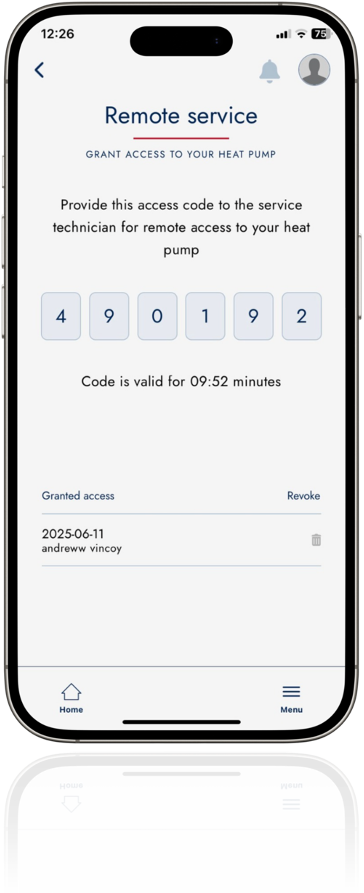
Remote Service: Grant access to service technician to access your heat pump for service. The function needs a wifi/cloud connection and can be found in the menu. Access can also be revoked when given.
QS integration: Added product information for QS attachment.
Plus general improvements, corrections and bug fixes.
Display version 1.1.7 (release date: 2025-05-19)
Extra ventilation is disabled when a QS is attached to a QE.
SmartControl: Added support for 15 minute price intervals.
Plus general improvements, corrections and bug fixes.
Previous releases
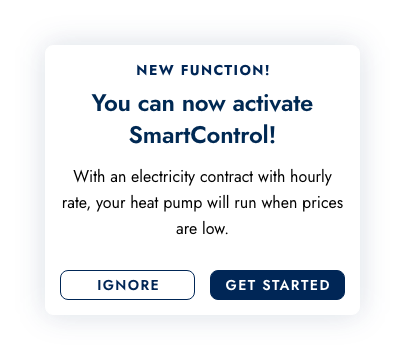
SmartControl
App
SmartControl (hourly rate optimization) is easily activated via the Qvantum App. Also see our FAQ.
Available via card in the app home view or Unit setting (via cog wheel on first card)
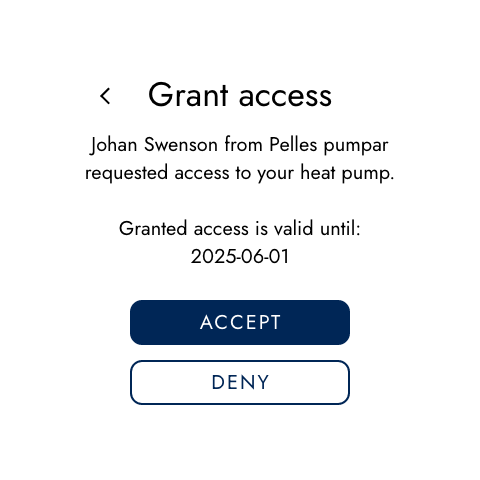
Remote access (Settings/Service functions)
App/Display
Generate an access code for the service technician. The service technician can, when code is entered, gain access to your heat pump.
Access is valid for 14 days.
Found in Menu > Remote Service
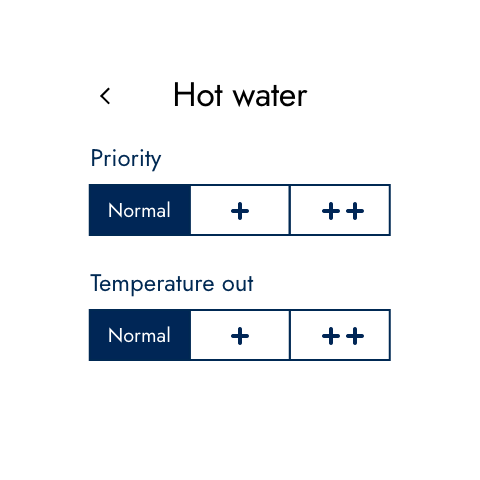
Hot water priority
App/Display
Priority
Normal = 30 min hot water/30 min heating
+ = 60 min hot water / 30 min heating
++ = 120 min hot water/30 min heating
Temperatur out
Normal = at 5 l/m +52°C, at 15 l/m +40°C
+ = at 5 l/m +55°C, at 15 l/m +40°C
++ = at 5 l/m +58°C, at 15 l/m +40°C
Previous news, fixes and added features
- Improved onboarding
- Possibility for Plugwise and Sonoff integrations
- Implement Qcloud with operating mode
- QR code with deep links
- Expanded language support
- Away mode UI improvements
- Wifi improvements
- Update missing translations
- Heating curve calculation
- Synchronization of settings
- Various UI and bug fixes
- System Overview
- Hot Water Configuration
- End User License Agreement/Data Policy
- New Operating Mode Setting
- Energy Screen for Germany
- “Always On” is now an option in Extra Hot Water
