Qvantum App
Your heat pump in your hand
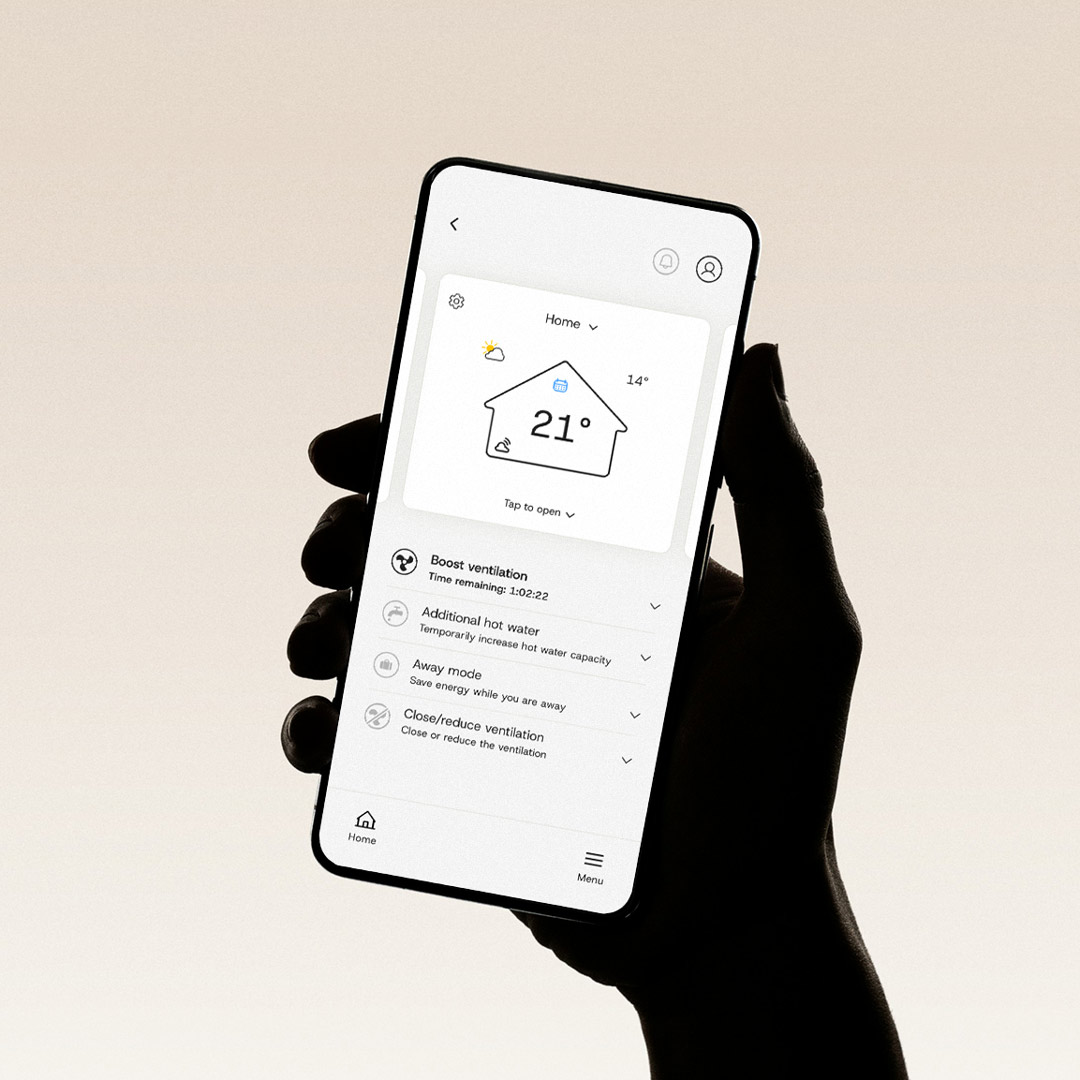
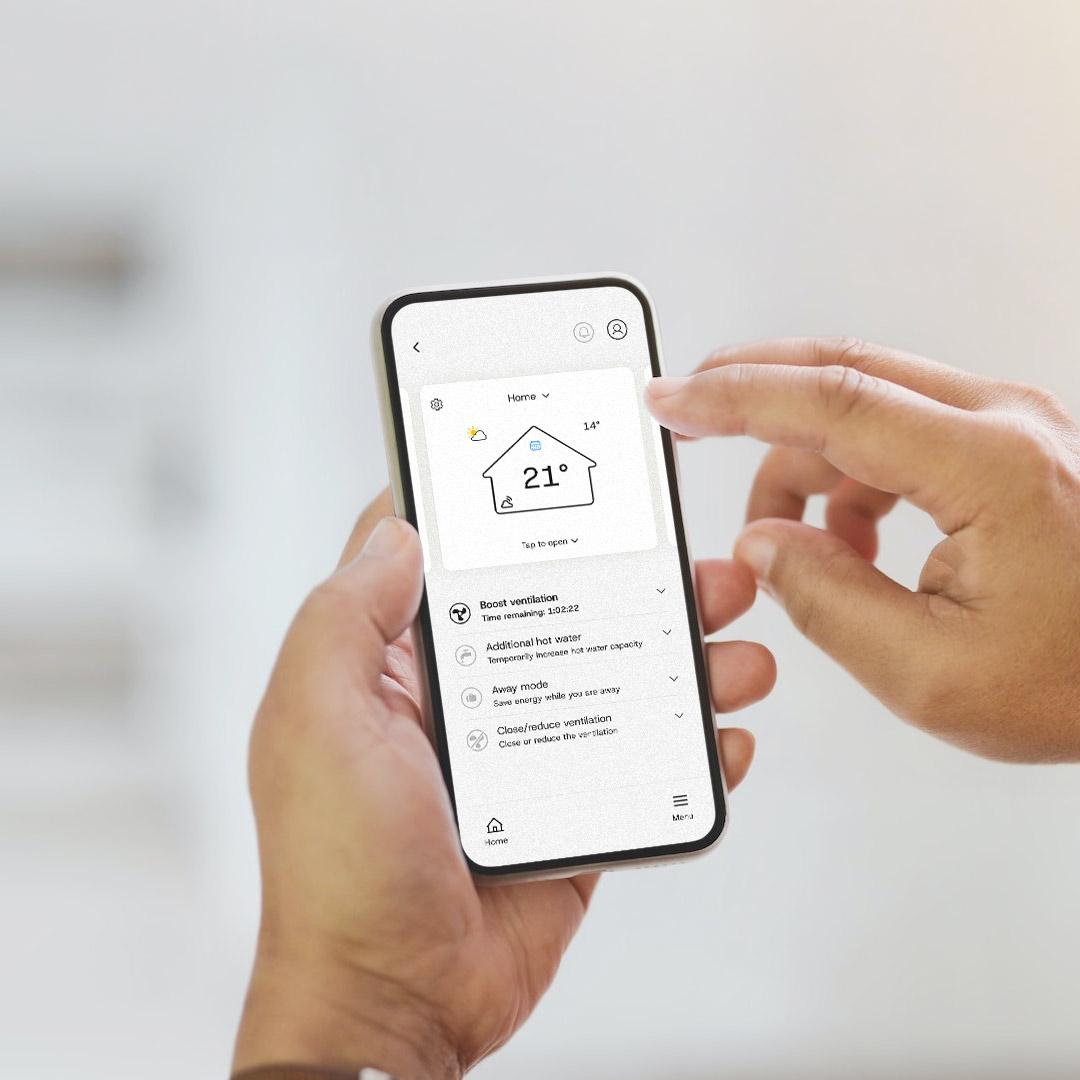
With our app you can easily control your heat pump at home via your smartphone. Connect to WiFi and you will always have it at hand.
Set the desired temperature and get what you want at home. If you are going away – set your device to “Away mode” to save energy when you are away and not at home.
Download on App Store or Google Play


For consumers
Guests tonight?
Boost some extra ventilation
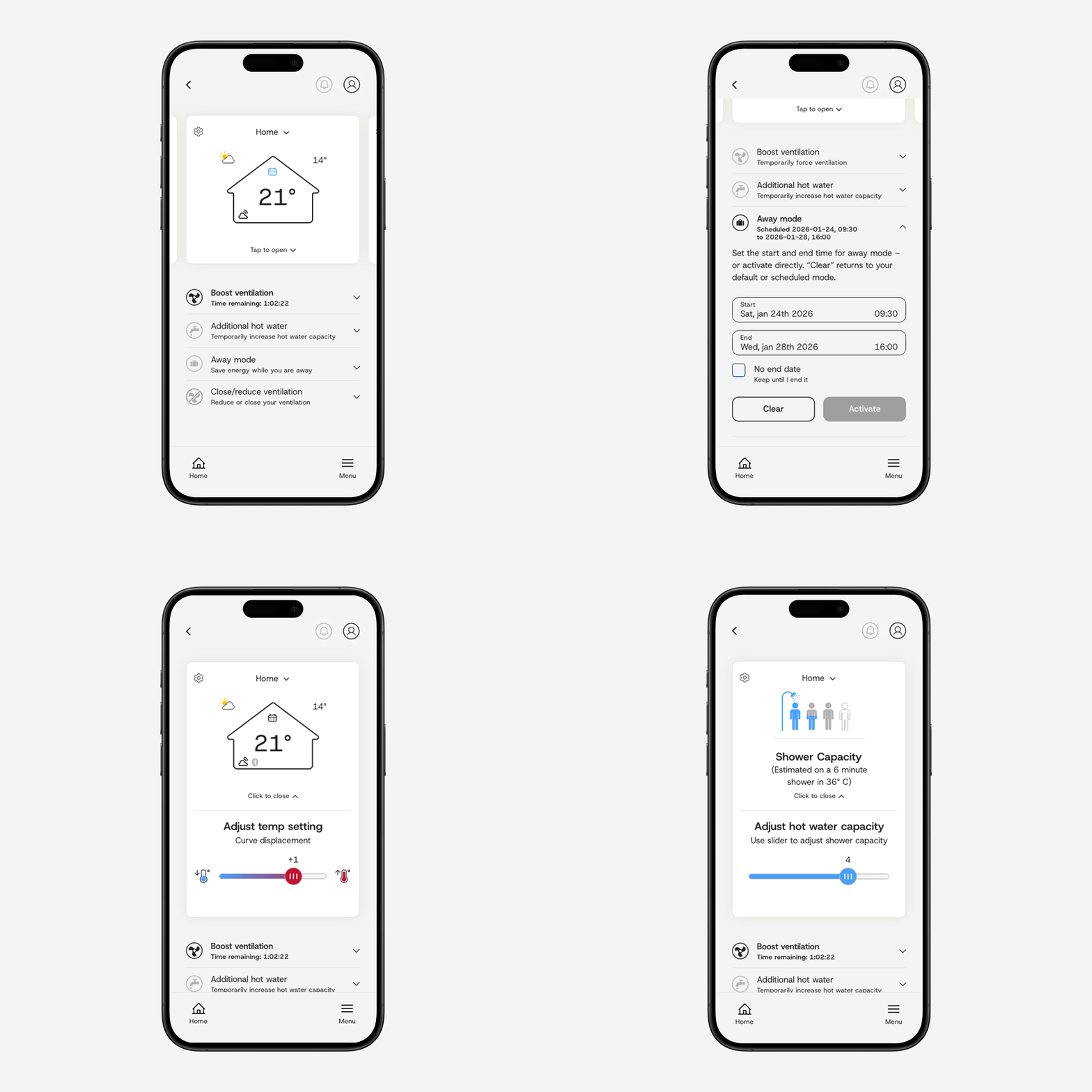
- You control heating and water directly in the overview.
- How many of you are home? Set shower level for the number of residents.
- Going away on holiday? Activate the “Away mode” – the energy saving mode – when you are away.
- Cold weather? Raise the temperature a few degrees if you are frozen.
- Guests visiting? Boost ventilation and temporarily increase the hot water so everyone can have a hot shower.
How does the app work?
A short summary of the app and its basic functions can be on the This is how the Qvantum App works-page.
Download on App Store or Google Play
For installers
Installation made easy
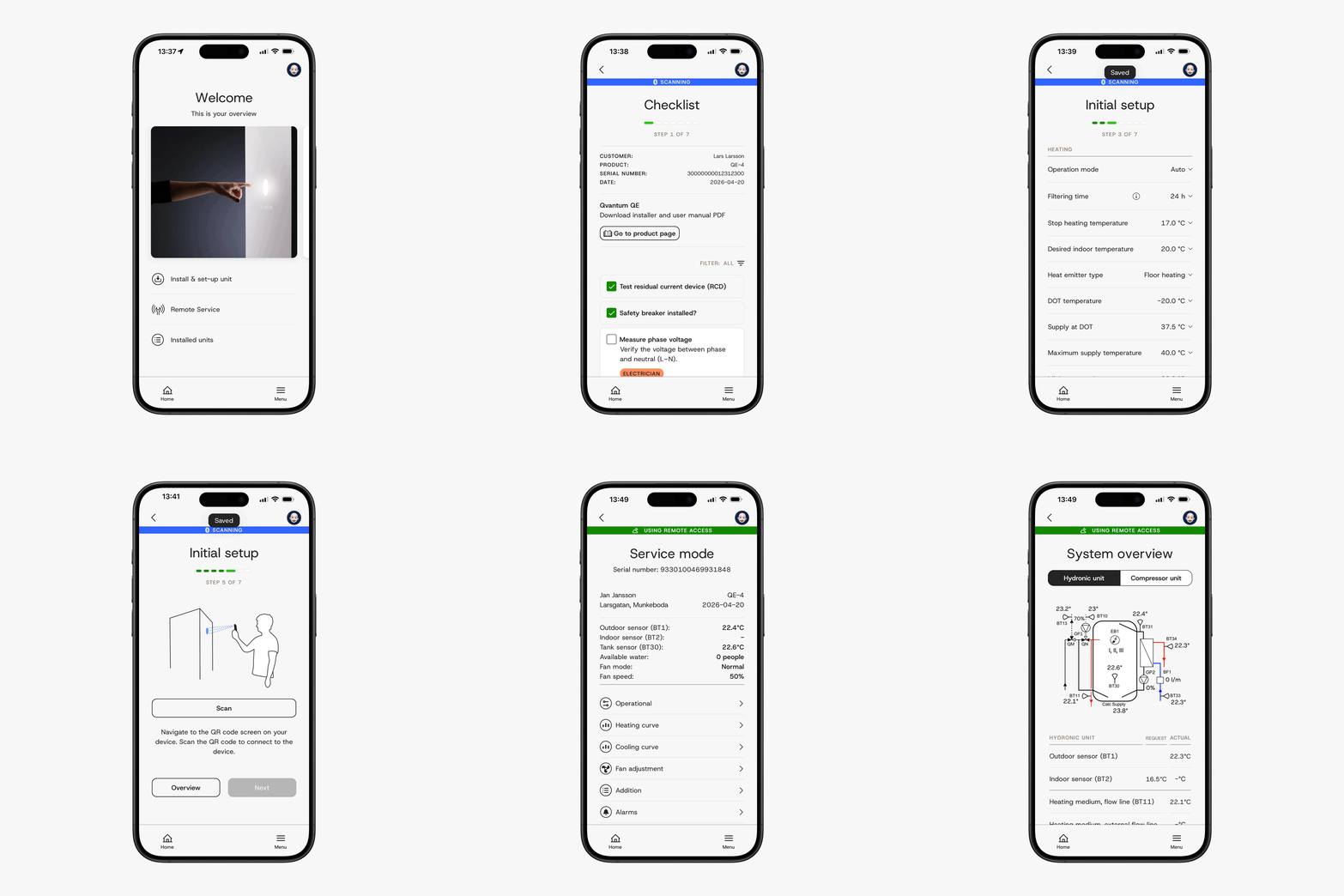
Scan the QR code on the packaging and get going. It’s almost as easy as 1-2-3 with the app that guides you through the installation.
The Qvantum app – Easy to use
- Check-list before installation to make sure everything is in order.
- Easy step-by-step installation and set-up.
- Installer control before handover to resident
Download on App Store or Google Play
Stay updated, there’s more to come!
Keep the app updated! We are planning to release more and smart functions in the future that will make it even easier to have a comfortable climate at home.
Download on App Store or Google Play